Animation
Edit assistant (Animation)
What does an edit assistant do?
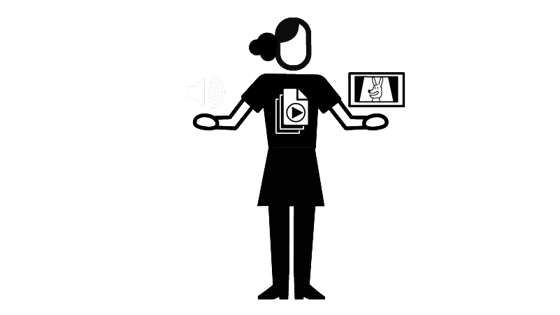
Edit assistants support the editor in putting all the parts of the animation together in the right order.
They keep a log of all materials coming into the editorial department. This can include storyboard panels, animated scenes, dialogue and sound effects, and the musical soundtrack. They output the film in different formats for clients and other departments as required. Sometimes they are asked to cut rough assemblies for the editor.
Edit assistants are sometimes responsible for administrative jobs such as booking sessions with clients and in-house staff for the editor. They make sure equipment is working and keep abreast of changes in software and technology. They also place orders with suppliers when needed.
Edit assistants aren’t freelance positions. They work in-house in animation studios.
Read
What's an edit assistant good at?
- Learning by watching and asking: observe what’s happening, take initiative, ask questions at the appropriate time
- Timekeeping: understand the importance of working to schedule, stay organised and help to keep the project on track
- Technical knowledge: know the editing software and equipment being used, be familiar with different file types of received material
- Taking direction: follow instructions carefully and with excellent attention to detail, understand what the editor wants and communicate with them and others effectively
- Watching animations: have a passion for the medium and a love of the industry
Who does an edit assistant work with?
Edit assistants work closely with the editor and sound designer. They might have to get files and information to and from any person in the production.
How do I become an edit assistant?
You don’t necessarily need a degree to be an edit assistant, although this will help you to gain experience of making and editing animations. Most importantly, you need to demonstrate familiarity with editing software as well as a love for and understanding of animation and the industry. A good way in is to get onto ScreenSkills’ Trainee Finder scheme in the edit department. Even if you are placed on a live action movie, you will still gain invaluable experience of working in edit suites and you will build up skills that you can later transfer into animation.
At school or college:
If you want to go to university, A-levels or Highers in art and design, photography, drama and theatre, English, film studies, graphic design, graphic communication, media studies, physics, psychology or computing science are useful. Or you might want to take a level 3 vocational qualification in one of those subjects. Look at what your local college offers such as:
- OCR Technical Diploma in Digital Media (Moving Image and Audio Production)
- UAL Diploma/Extended Diploma in Creative Media Production and Technology
- T level Media, Broadcast and Production
- UAL Applied General Diploma in Art and Design
- UAL Diploma/Extended Diploma in Art and Design
- OCR Cambridge Technical Diploma in Art and Design (3D Design)
- OCR Cambridge Technical Diploma in Art and Design (Graphic Design)
- OCR Cambridge Technical Diploma in Art and Design (Photography)
- T level Craft and Design
Get an apprenticeship:
An apprenticeship is a job with training, so it’s a great opportunity to earn as you learn. See if you can find an apprenticeship as an edit assistant or in any role in post-production, even if it’s not in animation. You can always transfer your skills into animation at a later point. Check out What’s an apprenticeship? to learn more about apprenticeships and Find an apprenticeship to learn how to find one in your region, or approach companies directly. Go to ScreenSkills resources on animation apprenticeships for the main apprenticeship schemes in animation.
Get a degree:
Have a look at ScreenSkills’ list of recommended courses and select one in animation or film. We recognise courses with our ScreenSkills Select award where they offer training in the relevant software, dedicated time to building a portfolio and have strong links with the animation industry.
Become a trainee:
Get onto ScreenSkills’ Trainee Finder scheme. Get the skills, make contacts and start working as an edit trainee.
Build a portfolio:
It is useful, but not essential, to be able to show that you can edit storyboards as this can be a little different to cutting live action. It’s worth learning animation and video editing software and creating work that you can show to admissions tutors or employers. Go to Build your animation portfolio to learn how.
Get work experience:
See if you can get some work experience in the post-production department of an animation studio. This will give you insight into the process and help you build connections.
Take a short course:
Hone your skills in editing by taking a specialist course. Go to the list of training courses recommended by ScreenSkills and see if there is one in editing.
Search for jobs:
Research animation companies that you’d like to work for. Animation UK has a directory of animation companies. Go to their websites and check if they are advertising for junior roles in editing. You can also send in a speculative CV and ask employers to keep it on file so they can consider you if any suitable jobs come up. Search job websites for editing roles and apply for positions.
Meet people in the industry:
Go to ScreenSkills’ events, follow your local film office and get to know people in the animation industry by attending events. Meet producers, directors, editors and edit assistants and ask them questions about their work, while demonstrating interest and knowledge in the industry. Offer to provide them with your professional contact details and try to stay in touch with them. Go to how to network well to learn how to do this.
Network online:
Create a LinkedIn profile. See if there’s a Facebook page or other social media group for people making films or videos in your area. Join it and take part. Create a ScreenSkills profile.
Explore ScreenSkills Resources:
ScreenSkills careers information:
The your career hub has a wealth of resources designed to help you start or progress your career.
ScreenSkills e-learning:
ScreenSkills has a suite of free e-learning modules for those who are over 18 which can improve your knowledge. The ScreenSkills Passport modules also prepare you as they are essential for some production roles. Some modules are available for those under 18. For anyone wanting advice about first steps, the Getting into the screen industries modules are very useful.
ScreenSkills skills checklists:
If you would like more detail about the tasks, responsibilities and skills required for many key roles in film and TV drama, children’s TV and unscripted TV you can look at our skills checklists.
You might also be interested in...
Being a post-production runner, or an edit assistant for live action film or TV drama. Becoming an editor in animation, an editor in VFX or an editor in the film and TV drama industries.
Further resources
- CG Spectrum – Free Resources
- Bloop Animation – Video Tutorials
- Cartoon Brew
- Skwigly Online Animation Magazine
- The 5 Levels of Animation That Every Editor Must Master (DaVinci Resolve)
- CGI Dreamworks Animation Studio Pipeline | CGMeetup
- The Hollywood Reporter Oscar Animation Roundtable
- ScreenSkills resources directory